How to Create Strong Passwords Without Forgetting Them (A Simple System That Works)
9 min read Learn a simple, practical system to create strong passwords you can actually remember. Includes passphrases, password managers, and common mistakes to avoid. February 13, 2026 23:07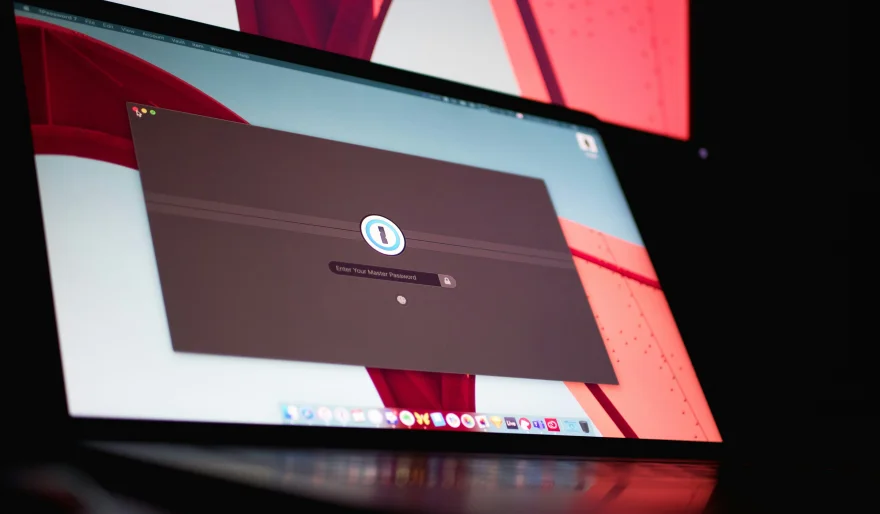
Most password advice sounds good… until you try to actually live with it.
Use a different password for every website. Make it long. Add symbols. Never reuse anything. Never write it down. Change it regularly.
It’s technically correct — and practically impossible.
That’s why most people end up doing one of these things:
• Reusing the same password everywhere
• Using small variations (Password1 → Password2)
• Resetting passwords constantly
• Writing passwords in unsafe places
None of that is “stupid.” It’s just what happens when a system expects humans to behave like robots.
The good news: you don’t need a perfect memory to have strong security.
You need a better method.
Why “Strong Password” Advice Usually Fails
A truly strong password is random.
But random passwords are hard to remember — and the more accounts you have, the worse it gets.
So the real problem isn’t that people don’t care about security.
It’s that most security advice doesn’t fit real life.
The Best Solution: Use a Password Manager
If you do one thing after reading this article, make it this.
A password manager is an app that:
• Generates strong passwords for you
• Saves them securely
• Fills them automatically when you log in
• Syncs across phone + computer
So instead of remembering 40 passwords…
You remember one.
Good options (safe and popular)
• Bitwarden (great free option)
• 1Password (paid, very polished)
• Apple iCloud Keychain (built into iPhone + Mac)
• Google Password Manager (built into Chrome + Android)
You don’t need the “best” one.
You just need to pick one and actually use it.
How to Create a Master Password You’ll Never Forget
Your password manager needs one master password.
This is the only password you should memorize.
The easiest method is a passphrase:
Example
• My dog loves winter walks at night
Long. Easy to remember. Hard to guess.
To make it stronger, add:
• One symbol
• One number
Example:
• My dog loves winter walks at night!2026
That’s already far stronger than most people’s “complex” passwords.
If You Don’t Want a Password Manager: Use a Passphrase System
Some people don’t want password managers. That’s fine.
In that case, use passphrases for important accounts.
A passphrase is simply a few random words that don’t normally go together.
Examples
• Coffee-Window-Planet-Shoes
• PurpleTigerRunsOnTuesday!
• LaptopRiverMoon7
The goal is:
• long
• unusual
• easy for you to remember
• hard for anyone else to guess
A Practical Backup Method: The Site-Specific Formula
This method is not perfect, but it’s far better than reusing passwords.
Here’s a safe version:
1. Pick a base phrase
2. Add 2 letters from the website name
3. Add a symbol you always use
4. Add a number you’ll remember
Example base:
• SunsetRiver
Then:
• Amazon → SunsetRiverAm!26
• Netflix → SunsetRiverNe!26
• Gmail → SunsetRiverGm!26
This gives you unique passwords without memorizing random strings.
What to Avoid (Common Mistakes)
1) Don’t reuse your email password
Your email is the key to your entire online life.
If someone gets your email password, they can reset everything.
2) Don’t trust security questions
Questions like:
• “What’s your first pet’s name?”
…are often easy to find online.
Treat them like passwords.
Use fake answers and store them in your password manager.
3) Don’t store passwords in unsafe notes
A phone note app without a lock is not a secure password manager.
The Fast Setup (10 Minutes)
Here’s the best way to fix your passwords without stress:
1. Install a password manager
2. Create a strong master passphrase
3. Start with your email account
4. Then update:
• banking
• social media
• shopping accounts
5. Turn on 2-factor authentication for your most important accounts
You don’t need to fix everything today.
Just start with the accounts that matter most.
Final Takeaway
Strong passwords aren’t about having a perfect memory.
They’re about having a system that works even when you’re busy, tired, or distracted.
Pick one method, set it up once, and your online security improves instantly — without making your life harder.
User Comments (0)
Popular Apps










Editor's Choice