App Reviews: Why Some Apps Disappear From Google Play (And What It Means for Your Phone)
7 min read App Reviews: Why Some Apps Disappear From Google Play February 05, 2026 19:58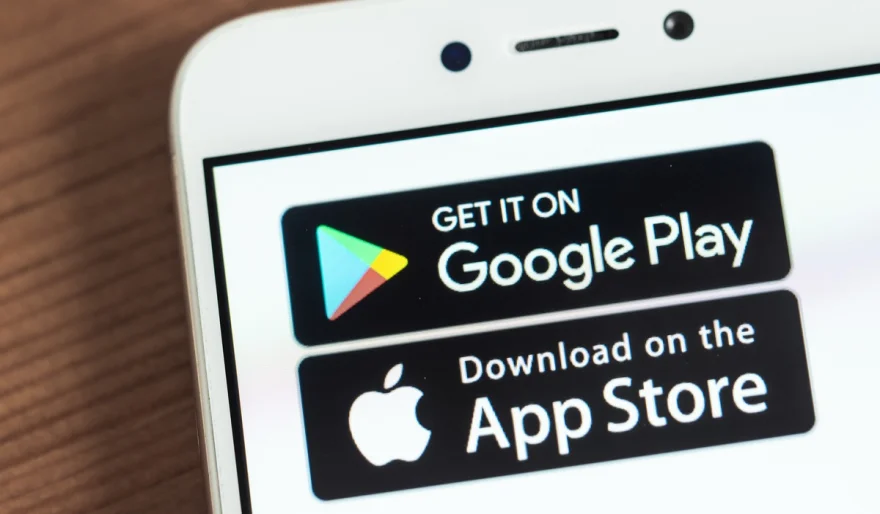
You go to update a trusted app, only to discover it has vanished from the Google Play Store. That confusing moment — “Did I imagine it?” — is becoming more common in 2026.
But here’s the surprising truth: an app disappearing isn’t always a sign that your phone is infected. In many cases, it’s actually a sign that Google’s ecosystem is getting cleaner and stricter. Play Store enforcement (both automated and human-reviewed) has become more aggressive than ever, and that means more apps are being removed, delisted, or blocked from updates.
When an app disappears, it’s usually for one of these three reasons.
Reason 1: The Privacy Policy Purge (The Most Common Cause)
Google now enforces stricter “Data Safety” rules, requiring developers to clearly declare what data they collect, why they collect it, and who they share it with.
For many older apps — especially those built on the classic “free app, data-selling” model — this creates a major problem. Their revenue often depends on third-party tracking SDKs and vague data-sharing pipelines.
To comply, many developers would need to rebuild the app from the ground up with transparency and cleaner data practices. Some simply don’t want to — or can’t afford to.
The result: the app disappears instead of evolving.
For users, this is often a net positive. It means a potential data-harvester has been pushed out of the neighborhood.
Reason 2: The “Abandonware” Cleanup (A Security Service)
Android requires apps to meet minimum technical standards to remain listed on the Play Store. Over time, Google expects apps to target modern Android versions and keep up with security updates.
If an app hasn’t been updated for years, it may eventually become incompatible with newer requirements — and it can be delisted for user protection.
This isn’t just about performance. An outdated app can become a security risk, because old code often contains vulnerabilities that modern Android versions are designed to prevent.
If the app is still installed on your phone but no longer appears in the store, treat it like a ticking clock: it may still work today, but it will not receive updates or patches.
Reason 3: The Policy Violation Takedown (The Sudden Removal)
Sometimes removals happen instantly. Google scanners and reviewers constantly look for serious violations, such as:
• Impersonation (fake banking apps, fake brands, fake developers)
• Malicious behavior (hidden premium SMS charges, spyware modules, crypto mining)
• Fraud tools (apps designed to steal logins or bypass services)
• Policy-breaking content (depending on category and severity)
When this happens, the app can become a “ghost” — installed on your phone, but unsupported and risky.
What You Should Do When an App Vanishes (Your Safe Action Plan)
1) Don’t panic
A delisted app does not automatically mean your phone is infected.
2) Avoid random APK websites
This is the most important rule.
If an app disappears, do not rush to download it from unknown APK sites. That’s one of the fastest ways to turn a harmless situation into a real infection.
3) Confirm what happened
Go to Google Play → Manage apps & device → Manage
If the app shows as unavailable, you have your confirmation.
4) Evaluate the risk
• If it’s a banking, finance, or messaging app, find the official replacement via the company’s website.
• If it’s a game or utility tool, consider replacing it with a modern alternative.
5) Use Play Protect
Make sure Google Play Protect is enabled. It helps scan apps on your device and adds another layer of safety.
The Bigger Picture: A Healthier App Ecosystem
While it can be frustrating, app removals are a sign of a maturing digital ecosystem. They protect users from:
• data harvesting
• outdated security holes
• scams that look professional
Think of it like “urban renewal” for your phone. The empty space isn’t a void — it’s an invitation for better, safer apps to replace the ones that didn’t deserve your trust.
User Comments (0)
Popular Apps







Editor's Choice